Tuck
Videos are harder to hide than photos. They're big, they show up in more places (gallery, video players, file managers, messaging apps), and many "hidden" folders only stop the gallery from listing them, not other apps from playing them.
Quick answer: for a free option, move the video to Google Photos Locked Folder. To make sure nobody else can play it, even with your phone unlocked, put it in an app that encrypts videos with its own passphrase.
Option 1: Google Photos Locked Folder
- Open Google Photos and find the video.
- Open the menu and choose Move to Locked Folder.
- Check it has gone from your library, then check your file manager's Movies or Camera folder too.
Locked Folder opens with your phone's screen lock and can optionally back up to Google Photos. (Google Photos Help) The trade-off: anyone with your phone PIN can open it, and the backup uses Google's standard encryption rather than a key only you hold. More in Locked Folder vs a vault app.
Option 2: Samsung Secure Folder
On Galaxy phones, move the video into Secure Folder from the Gallery's share or move menu. Secure Folder has its own lock, separate from your phone's PIN. It only exists on Samsung phones.
Option 3: An encrypted vault app
A vault moves the video into its own encrypted storage, so no other app on the phone can see or play it. Two things to check for videos specifically:
- Does it decrypt to disk to play? Some apps write a temporary, unencrypted copy of the video while it plays. That copy can linger. Better apps stream from encrypted storage.
- Does backup handle big files? A vault that can't back up a 2 GB video isn't much use when you lose your phone.
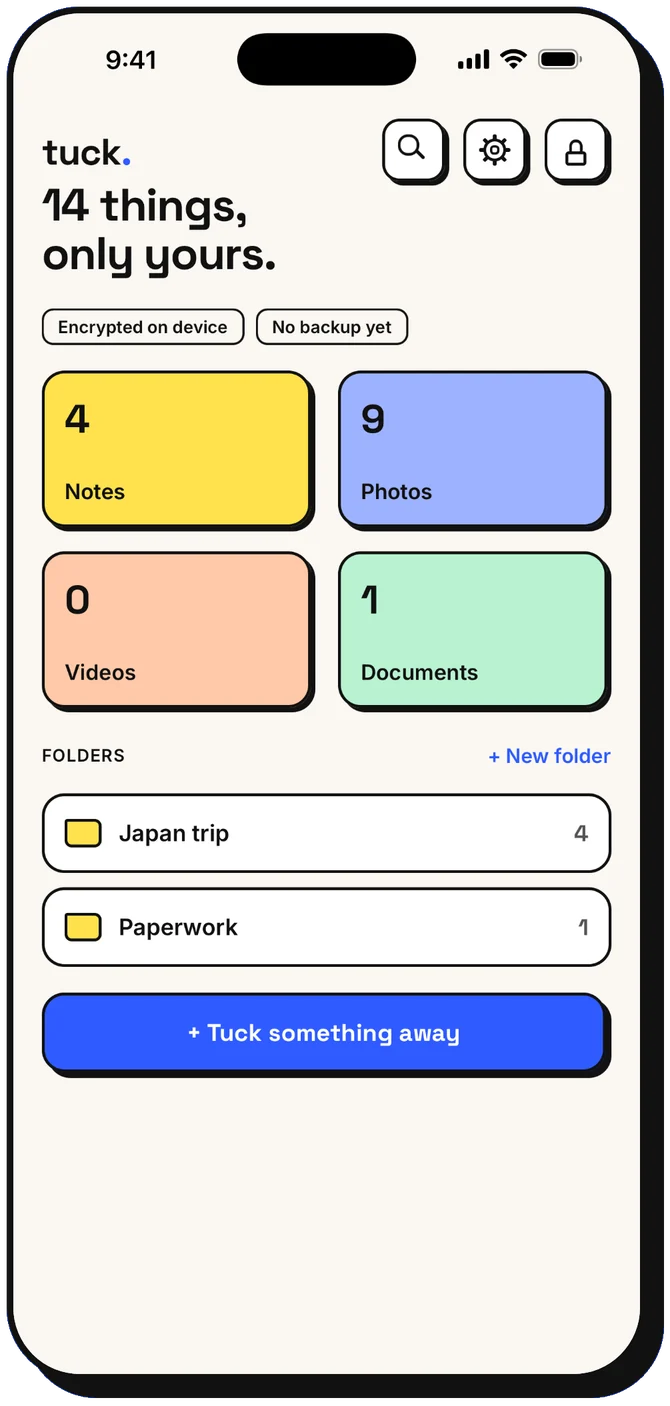
How to hide videos with Tuck
- Open Tuck and tap Tuck something away.
- Pick the videos from your gallery, or record straight into the vault with the camera so the video never lands in your gallery at all.
- Let Tuck remove the originals from your gallery.
- Turn on backup so the encrypted videos are saved to your own Google Drive.
Tuck plays videos without ever writing them to disk unencrypted, and every file is sealed with XChaCha20-Poly1305 using a key from your passphrase.
FAQ
Can I hide videos on Android without an app?
Yes, with Google Photos Locked Folder or, on Samsung, Secure Folder. Neither encrypts with a key only you hold.
Why do hidden videos still show up in other apps?
Some hiding methods only stop the gallery from listing a folder. Video players and file managers can still see the files. Moving them into an encrypted vault stops that.
How do I record a video that never goes to my gallery?
Use a vault with its own camera. In Tuck, use the camera option when you tuck something away, and the video goes straight into the encrypted vault.